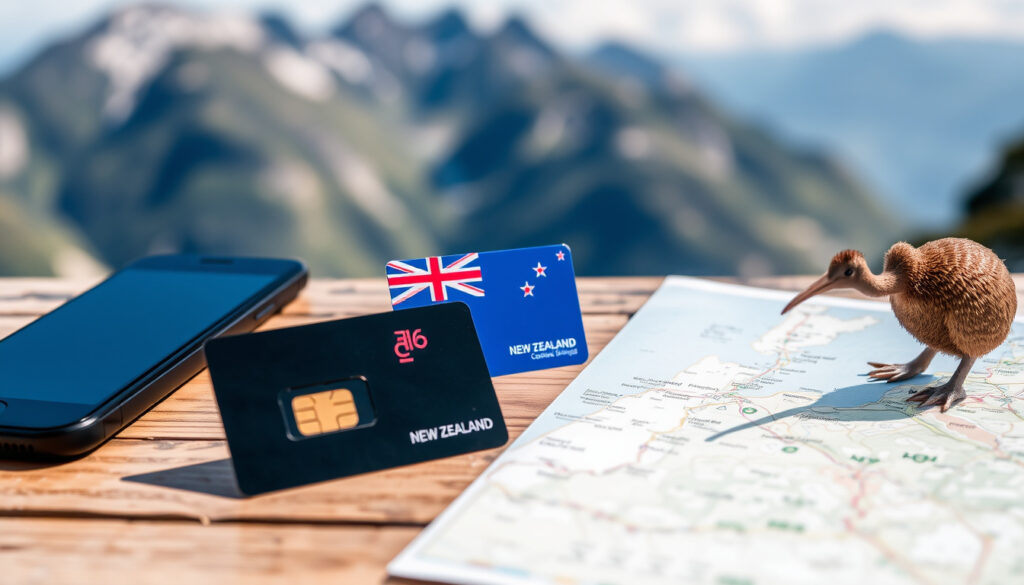
New Zealand SIM Card Guide: Best Options for Tourists
You’ve booked the flights, mapped out the hikes, and maybe even packed the wrong adaptor. But one thing that stumps many travellers arriving in New Zealand is how to stay connected. Whether you land at Auckland International or roll into Queenstown, getting a local SIM card doesn’t have to be a hassle — and the choice between a physical chip and an eSIM is easier once you know what each major carrier actually delivers. This guide walks through the best prepaid and tourist SIM options, where to buy them, and how much data you’ll realistically need for a two-week trip.
Major mobile networks in New Zealand: Spark, One NZ, 2degrees ·
Typical tourist data need for 2 weeks: 10–20 GB ·
Airport SIM purchase availability: Yes, at Auckland, Christchurch, Wellington airports ·
eSIM compatibility: Most modern smartphones support eSIM ·
Prepaid SIM validity: 30 days typical
Quick snapshot
- Spark and One NZ have the best rural coverage (What’s Dave Doing? – travel tech guide)
- Airport SIMs are available at major airports (TravelTomTom – travel eSIM resource)
- Passport is required for prepaid SIM purchase (Wise – money transfer guide)
- Exact pricing may vary by promotion and season (What’s Dave Doing? – travel tech guide)
- eSIM compatibility depends on phone model and carrier (TravelTomTom – travel eSIM resource)
- eSIM not supported on some older phones (TravelTomTom – travel eSIM resource)
- Buy before arrival (eSIM) vs buy at airport vs buy in-store after arriving – each has pros for timing and cost (Wise – money transfer guide)
- Pick a carrier based on travel style, then choose physical or eSIM; activate within minutes online or in-store (What’s Dave Doing? – travel tech guide)
Here’s a quick overview of the key facts you need before deciding.
| Feature | Details |
|---|---|
| Major carriers | Spark, One NZ, 2degrees, Skinny, Warehouse Mobile |
| Airport SIM availability | Yes – Spark and One NZ stores at Auckland, Christchurch, Wellington (What’s Dave Doing? – travel tech guide) |
| Typical prepaid validity | 30 days |
| eSIM support | Spark, One NZ, 2degrees offer eSIM |
| Passport required | Yes for prepaid SIM purchase (Wise – money transfer guide) |
What is the best SIM card to get in NZ?
The short answer: it depends on where you’re travelling and how much data you burn. For most tourists, the two heavyweights – Spark and One NZ – offer the widest coverage, especially outside the main cities. A travel comparison by What’s Dave Doing? (travel tech resource) notes that Spark and One NZ are “similar overall”, but Spark’s travel plans tend to have longer validity – up to 90 days on certain packs.
Spark vs One NZ vs 2degrees coverage
- Spark and One NZ share the best nationwide coverage, with strong 4G/5G reach in rural areas like the South Island’s national parks (What’s Dave Doing? – travel tech guide).
- 2degrees is cheaper but its network is largely urban-focused; it’s fine for city hoppers but can drop out on long drives (Wise – money transfer guide).
- Skinny and Warehouse Mobile are budget options that run on Spark and 2degrees networks respectively – good for light users who stay in cities (TravelTomTom – travel eSIM resource).
Best SIM for urban vs rural travel
If your itinerary includes Rotorua, Waitomo, or the Tongariro Crossing, go with Spark or One NZ. For a pure Auckland–Wellington–Christchurch circuit, 2degrees delivers the best value. A 2026 travel guide from What’s Dave Doing? points out that airport booths from Spark and One NZ make them the simplest choice for travellers arriving without a plan.
For tourists spending most of their time in cities, 2degrees can save NZ$20-30 on a two-week stay compared to Spark – but you lose coverage the moment you head into the hills.
The implication: travellers who want one SIM to handle everything – from Queenstown jetlag to Milford Sound streaming – should stick with Spark or One NZ. Urban-only visitors can pocket the savings with 2degrees.
Can I buy a SIM card at the NZ airport?
Yes, and it’s surprisingly straightforward. All three major international airports – Auckland, Christchurch, and Wellington – have carrier stores or kiosks in the arrivals hall. According to What’s Dave Doing?, Spark and One NZ both have airport booths, making them the simplest airport SIM choices.
Auckland Airport SIM options
- Spark and One NZ retail stores in the international arrivals area (TravelTomTom – travel eSIM resource).
- A duty-free section before customs clearance may sell SIMs at GST-free prices – about 15% cheaper than after you pass through (What’s Dave Doing? – travel tech guide).
- eSIM QR codes can be purchased online and activated within minutes of landing.
Christchurch Airport SIM options
Similar setup: Spark and One NZ both have counters in the main arrivals terminal. A 2026 traveller report from What’s Dave Doing? notes that travel SIMs in duty-free areas may be available at tax-free prices before formal arrival, shaving off the 15% Goods and Services Tax.
Wellington Airport SIM options
Wellington is smaller but still offers Spark and One NZ kiosks. As with the other airports, buying a physical SIM on arrival is simple if you have your passport handy – carriers require it by law (Wise – money transfer guide).
The pattern across the three airports: you can grab a working SIM in under ten minutes. The catch is that airport SIMs sometimes cost a few dollars more than the same pack at a city store – a small premium for instant connectivity.
How much data for 2 weeks in New Zealand?
This is the single most common question among tourists, and the answer depends on your digital habits. A heavy streaming day – Netflix on the bus, Spotify during hikes, occasional video calls – can chew through 2-3 GB. Light users who only check maps and messages will get by on far less.
1GB vs 5GB vs 20GB for real trips
- Light users (maps + messaging only): 5 GB is sufficient for two weeks (TravelTomTom – travel eSIM resource).
- Moderate users (social media, occasional streaming): 10–15 GB covers two weeks comfortably (Wise – money transfer guide).
- Heavy users (daily Netflix, video calls, tethering): 20 GB or unlimited (What’s Dave Doing? – travel tech guide).
Is 20GB of data enough for 2 weeks travel?
For most tourists, 20 GB is more than enough. Streaming eats the most: each hour of Netflix in HD uses about 3 GB, so two movies alone could burn 6 GB. If you’re the type who downloads offline content before you leave, 20 GB will feel ample. TravelTomTom notes that unlimited-data eSIM options (30 days for US$75) exist for those who don’t want to count gigabytes.
A moderate traveller with 10–15 GB can comfortably navigate, post photos, and stream a bit. Heavy users should grab Spark’s 50 GB travel pack (NZ$79) or an unlimited plan.
Why this matters: overbuying data wastes money, but underbuying means topping up mid-trip, which can incur extra fees. The sweet spot for a two-week New Zealand trip is 10–15 GB.
Is it easy to get a SIM card in New Zealand?
Yes – it’s one of the easier countries for travellers. You don’t need a local address or NZ bank account. A valid passport is the only requirement for a prepaid SIM, as confirmed by Wise (money transfer guide).
Buying in-store vs online
- In-store: Available at carrier stores, electronics chains (JB Hi-Fi, Noel Leeming), supermarkets, and dairies. Activation is instant with staff help (What’s Dave Doing? – travel tech guide).
- Online: eSIMs can be purchased from Spark, One NZ, 2degrees, or third-party providers like Airalo and Jetpac before departure. The QR code arrives by email – scan and you’re connected on arrival (TravelTomTom – travel eSIM resource).
Required documents (passport)
Carriers are required by law to verify your identity. A passport or another government-issued photo ID is mandatory for any prepaid purchase – no exceptions (Wise – money transfer guide).
Activation process
Physical SIMs are usually plug-and-play: insert, wait for the network, and dial a short code to activate. eSIMs take two minutes: scan the QR in your email, add the cellular plan in settings, and you’re live. TravelTomTom says eSIM activation “takes minutes” and can be done before you even board your flight.
The pattern: whether you buy at the airport or online, you’ll have a working number within five minutes of landing – just don’t forget your passport.
What to know about SIM cards and eSIMs in New Zealand
The choice between a physical SIM and an eSIM comes down to your phone’s compatibility and your tolerance for small plastic cards. Both work well, but each has distinct trade-offs for travellers.
Physical SIM vs eSIM pros and cons
Upsides
- Physical SIM: works on any unlocked phone, easy to swap between devices
- eSIM: no need to visit a store, instant activation, can keep your home SIM active
- eSIM often cheaper per GB from third-party sellers
Downsides
- Physical SIM: you need a SIM ejector tool, risk of losing the chip
- eSIM: not supported by older phones (iPhone XR or older, some Android models) (TravelTomTom – travel eSIM resource)
- Some budget carriers (Skinny, Warehouse Mobile) don’t yet offer eSIM
Coverage considerations
If you plan to roam beyond city limits, the carrier matters more than the SIM type. Spark and One NZ maintain the most robust rural networks. 2degrees and its virtual operator Warehouse Mobile are reliable in urban centres but can be patchy in the mountainous interior (What’s Dave Doing? – travel tech guide).
Roaming vs local SIM
Using your home carrier’s roaming in New Zealand is the most expensive option – typical rates run NZ$10–15 per day. A local prepaid SIM cuts that to about NZ$1–2 per day for moderate use. Wise (money transfer guide) notes that a local SIM is “significantly cheaper” than roaming for any trip longer than a weekend.
Here’s a comparison of the major tourist plans available.
| Carrier | Plan example | Data | Validity | Price (NZ$) |
|---|---|---|---|---|
| Spark | Travel SIM | 10 GB | 90 days | 49 |
| Spark | Travel SIM | 50 GB | 90 days | 79 |
| One NZ | Travel SIM | 10 GB | ~60 days | 49 |
| One NZ | Travel SIM | 2 GB | 30 days | 29 |
| 2degrees | Prepaid | 12 GB | 30 days | ~35 (urban only) |
| Airalo eSIM | Data-only | 20 GB | 30 days | US$44 (~NZ$70) |
One thing stands out: Spark’s 50 GB pack at NZ$79 offers the best per-gigabyte value for heavy users, especially if you share it via hotspot. As noted by Wise – money transfer guide, sharing a Spark travel pack with travel buddies can make even top-tier plans feel cheap per person.
Here’s how the two SIM types compare side by side.
| Feature | Physical SIM | eSIM |
|---|---|---|
| Availability at carriers | All | Spark, One NZ, 2degrees, third-party |
| Activation time | 5 min in-store | 2 min online |
| Phone compatibility | Any unlocked phone | iPhone XS+, Google Pixel 3+, recent Samsung Galaxy |
| Ability to keep home SIM | No (dual-SIM phones only) | Yes (dual SIM via eSIM + physical) |
| Cost comparison (10 GB/30d) | NZ$49 (Spark) | US$18–30 (Airalo, Jetpac) |
| Airport purchase | Yes, at carrier kiosks | Yes, online before travel |
The trade-off: eSIMs are cheaper per GB from third-party sellers, but you lose the ability to make local voice calls – many tourist eSIMs are data-only. If you need to call hostels or tour operators, a physical SIM with talk+text from Spark or One NZ is safer.
Steps to get connected
- Check your phone’s compatibility (eSIM or physical).
- Choose a carrier based on coverage needs and budget.
- Buy a SIM: online (eSIM) or at airport/city store (physical).
- Activate with passport verification and top up as needed.
“Spark and One NZ have the best coverage, especially outside cities. 2degrees is cheaper and fine if you stay urban.”
– Reddit user in r/newzealand_travel (What’s Dave Doing? – travel tech guide quoting a common opinion)
“Travel New Zealand with ease with Spark NZ. Choose a 15, 30 or 90-day eSIM data pack online or get a SIM card with calls, texts & data in store.”
– Spark NZ official site (paraphrased via What’s Dave Doing? – travel tech guide)
If you buy a duty-free SIM at Auckland Airport before passing customs, you may avoid the 15% GST – but activation requires you to be physically in New Zealand, so don’t activate until after you land.
For the average tourist arriving in New Zealand, the smartest move is to pick a Spark or One NZ plan if you’ll be road-tripping through rural areas, or a 2degrees prepaid SIM if you’re staying urban. eSIMs from third-party providers like Airalo are fine for data-only needs, but you’ll pay a premium for flexibility. The decision is clear: know your data habits, know your route, and buy before you fly if possible – or grab a SIM at the airport within minutes of landing. Overbuying data is wasted money; underbuying is a hassle. Choose the 10–15 GB tier, and you’ll be connected for your entire stay without stress.
Related reading: **Auckland Airport Hotel Guide** · **Cheap Car Rental Queenstown**
Frequently asked questions
Can I use my existing phone with a New Zealand SIM card?
Yes, if your phone is unlocked. Most modern phones from outside New Zealand are unlocked, but check with your home carrier before travel.
Do I need to unlock my phone before using a NZ SIM?
Yes – the phone must be SIM-unlocked. If you bought it on a contract from a carrier, it may be locked. Contact your carrier to request an unlock.
How do I top up my prepaid SIM in New Zealand?
Top-up vouchers are sold at dairies, supermarkets, and online via carrier websites or apps. You can also use your credit card on most carrier portals.
Is eSIM cheaper than a physical SIM in New Zealand?
Data-only eSIMs from third-party providers can be cheaper per GB – sometimes as low as US$1.35/GB (TravelTomTom – travel eSIM resource). But they lack voice minutes, so if you need calls, a physical SIM from Spark or One NZ may offer better value.
What happens if I run out of data during my trip?
You can buy a data add-on online or in-store. Most carriers allow instant top-ups via their website or app using a credit card.
Can I keep my home number while using a NZ SIM?
If your phone supports dual SIM (one physical, one eSIM), you can keep your home SIM active in a secondary slot for calls/texts. Otherwise, you’ll need to forward your home number.
More related posts
 Cheap Flights NZ Domestic: Best Deals & Booking Tips
 My Food Bag NZ: Pricing, Menu & Cancellation Guide
 Dying Light: The Beast Guide – Full Game & Worth It
 Weeks in a Year: Exact Number, 53-Week Years & 56 Myth
 Silver Ferns Squad 2025 – Full Roster and Key Insights
 What on TV Tonight? Full Irish & Freeview Listings
 Speights Ale House Invercargill: Menu, Prices & Reviews