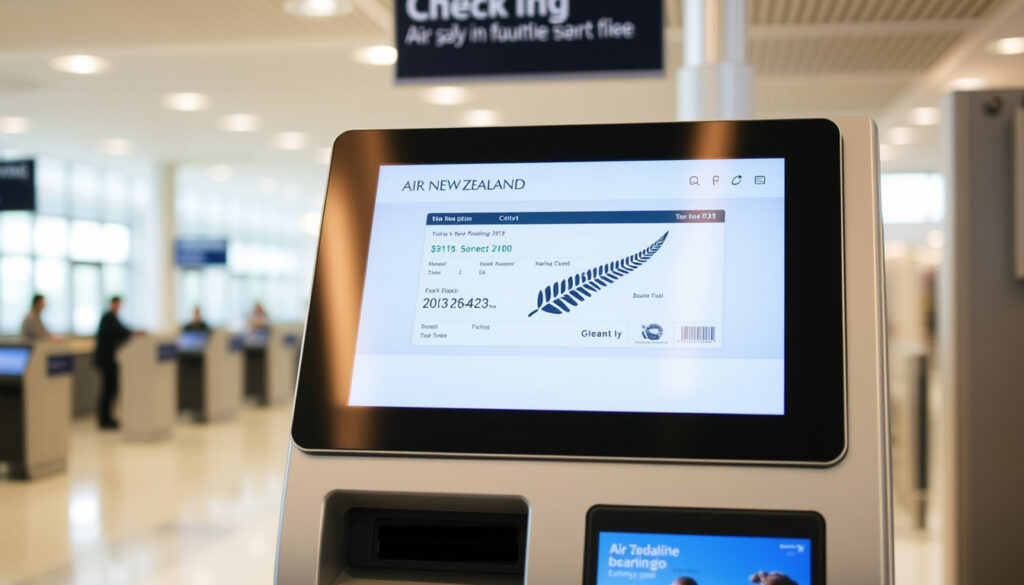
Air New Zealand Online Check-In: Times, Tips & Guide
You’ve booked your Air New Zealand flight, and now the clock starts ticking: 24 hours before departure, online check-in opens. Whether you’re flying domestic from Auckland to Christchurch or heading overseas, knowing when and how to check in can save you time, stress, and maybe even a seat upgrade.
Online check-in opens: 24 hours before departure ·
Mobile boarding pass: Via Air NZ app ·
Baggage drop deadline (domestic): 30 minutes before departure ·
International check-in closes: 60 minutes before departure
Quick snapshot
- Online check-in opens 24 hours before departure (SeatMaestro (airline seating guide))
- Air NZ app provides digital boarding passes (Apple App Store (official Air NZ app))
- Baggage drop deadline: domestic 30 min, international 60 min (SeatMaestro) (SeatMaestro (airline seating guide))
- Exact number of Air NZ app downloads (reported 1M+ but not independently verified)
- Specific reasoning behind seat 11A controversy (no official statement from Air NZ)
- Check-in opens 24 hours before departure (SeatMaestro)
- Domestic check-in closes 30 min before departure (SeatMaestro)
- International standard check-in closes 90 min before departure (SeatMaestro)
- Complete online check-in via Air NZ website or app
- Print bag tags at kiosk using digital pass (Apple App Store)
- Arrive at airport with required documents before baggage drop deadline
Air New Zealand’s check-in deadlines vary by route and destination.
| Feature | Details |
|---|---|
| Check-in Opens | 24 hours before flight (SeatMaestro) |
| Domestic Check-in Closes | 30 minutes before departure (SeatMaestro) |
| International Check-in Closes | 60 minutes before departure (SeatMaestro) |
| Mobile Boarding Pass | Available via Air NZ app (Google Play (Air NZ app)) |
| E-ticket Required | Digital; printing optional |
When can I check-in online with Air New Zealand?
What are the check-in deadlines for domestic flights?
Domestic passengers can check in online starting 24 hours ahead. The system closes 30 minutes before scheduled departure for passengers with checked baggage, according to SeatMaestro. If you’re on a domestic flight connecting to an international sector, the cut-off moves up: you must be checked in at least 60 minutes before the domestic leg departs (TripDreamz).
What this means: For a 10:00 AM domestic flight, you have from 10:00 AM the previous day until 9:30 AM on the day to check in online and drop bags. Miss that window and you’ll need to use the airport counter — but seats on popular routes may already be reassigned.
What are the check-in deadlines for international flights?
Standard international flights require final check-in no later than 90 minutes before departure (SeatMaestro). However, flights to, from, or through the United States tighten the deadline to 2 hours before departure (SeatMaestro). Air New Zealand recommends arriving at the airport 2 to 3 hours before any international departure (TripDreamz).
The implication: International travelers have a tighter window — especially for US-bound flights. Plan to be at the gate at least 20 minutes before departure (SeatMaestro).
What happens if I miss the online check-in window?
If you don’t check in online before the cutoff, you can still check in at the airport using self-service kiosks or the counter. Be prepared for longer queues, and note that seats you wanted may no longer be available. Air New Zealand’s policy allows late check-in, but denial of boarding is possible if the flight is overbooked (SeatMaestro).
The trade-off: Online check-in buys you peace of mind and better seat choice. Skipping it means rolling the dice on availability and time.
Domestic travelers have a 23.5-hour window to check in online. International passengers lose an extra hour. For US routes, the window shrinks to 22 hours. Your best move: check in as soon as the window opens.
The pattern: Check-in windows shrink the farther you fly — domestic offers the most flexibility, US routes demand the fastest action.
Is it better to check-in online or at the airport?
Advantages of online check-in
- Save time by avoiding queue at the check-in counter
- Select your preferred seat in advance
- Add baggage and make declarations digitally (SeatMaestro)
- Receive a digital boarding pass stored in the Air NZ app or Apple Wallet (Apple App Store)
Advantages of airport check-in
- Assistance for special needs, oversized baggage, or unaccompanied minors
- Print physical boarding pass and bag tags at kiosk
- Resolve issues like visa or document verification in person
When is airport check-in necessary?
Passengers with special assistance requirements, unaccompanied minors, or those traveling with oversized or sporting equipment may need to use the airport counter. Also, if you cannot retrieve your booking online (e.g., third-party booking errors), the airport staff can help.
Three check-in methods, one pattern: online saves time, airport covers exceptions.
| Method | Time saved | Seat selection | Baggage drop |
|---|---|---|---|
| Online (web or app) | High – skip counter | Yes, available | Print bag tag at kiosk |
| Airport kiosk | Medium – self-service | Yes, limited | Print tags and drop |
| Airport counter | Low – may queue | Depends on availability | Full service |
The catch: Online check-in is free and fast, but it doesn’t work for every situation. If you have an unusual booking or special needs, the counter remains your fallback.
What do I need to check-in for Air NZ?
What documents are required?
For domestic flights, a driver’s license, passport, credit card, birth certificate, Airpoints card, Koru card, or Community Services Card are acceptable as proof of identity, per SeatMaestro. International travel requires a valid passport and any applicable visas (SeatMaestro). You may also need border declarations and transit documents (TripDreamz).
Do I need to print my e-ticket?
No. Air New Zealand issues digital e-tickets. Printing is optional. Your booking reference and last name are all you need to check in online (SeatMaestro). The mobile boarding pass displayed on your phone is accepted at security and the gate (Apple App Store).
How do I use the Air NZ app for check-in?
- Download the Air NZ app from Apple App Store or Google Play.
- Open the app and use your booking reference (PNR) and last name to retrieve your trip.
- Select check-in, choose seats, add baggage, and enter passport details.
- Receive a digital boarding pass. You can add it to Apple Wallet (Apple App Store).
- At the airport, scan the digital pass at a kiosk to print bag tags (Apple App Store).
- The app can hold up to 9 boarding passes for a group or family under one booking (Google Play).
The app turns your phone into a travel hub: check in, manage seats, track bags, and even change meals — all before you step into the terminal. For most travelers, it makes the online check-in process genuinely contactless.
The implication: Once you’ve gathered your booking reference and valid ID, the entire check-in process can be done from your phone, saving a trip to the counter.
Why can’t I check-in online with Air NZ?
Common reasons for online check-in failure
- Booking errors: incorrect name or missing passenger details
- Special assistance flags: wheelchair, medical, or unaccompanied minor bookings
- Visa or document requirements not yet satisfied
- Technical issues with the website or app (SeatMaestro)
- Seat selection conflicts – some seats (like 11A) reportedly cause errors due to configuration issues
How to resolve check-in issues
First try the Air NZ app instead of the website. Clear your browser cache or switch to a different device. Verify that your booking reference is correct and that no special service requests are blocking online check-in. Air New Zealand’s customer support can be contacted via phone or the app’s chat feature (Air New Zealand Koru Service Centre).
What to do if check-in is unsuccessful
If online check-in fails after troubleshooting, arrive at the airport early and use the self-service kiosk or counter. Have your booking reference and identification ready. Air New Zealand staff can complete the check-in process manually. For international flights, allow extra time for document verification.
The pattern: Most check-in failures stem from data mismatches or special flags. A quick call to the airline often resolves it.
Is online check-in required for Air New Zealand?
Is online check-in mandatory?
No — online check-in is optional. You can always check in at the airport using kiosks or the counter. However, Air New Zealand encourages online check-in to reduce airport congestion and speed up the boarding process (SeatMaestro).
What are the consequences of not checking in online?
If you skip online check-in, you may face longer lines at the airport. Seats that were available online might be taken by other passengers who checked in earlier. On overbooked flights, passengers who haven’t checked in are more likely to be denied boarding. For more information on domestic travel, consider Jetstar Wellington to Auckland flights at $Jetstar Wellington to Auckland flights.
Can I check in at the airport without online check-in?
Yes. Self-service kiosks and staffed counters are available at all Air New Zealand airports. You can print your boarding pass and bag tags there. The process is straightforward but takes more time.
The trade-off: Online check-in is a low-effort way to lock in your seat and avoid last-minute stress. There’s no penalty for skipping it — but you’re gambling with time and choice.
How to check in online with Air New Zealand: step-by-step
- Wait for the 24-hour mark. Online check-in opens exactly 24 hours before scheduled departure (SeatMaestro).
- Go to the Air New Zealand website (airnewzealand.co.nz) or open the Air NZ app.
- Enter your booking reference (6-character code) and last name (SeatMaestro).
- Select passengers you want to check in (useful for groups).
- Add frequent-flyer numbers if applicable (SeatMaestro).
- Add baggage and complete any baggage declarations.
- Select seats from the available map.
- Enter passport details and any transit or entry document numbers (SeatMaestro).
- Review and submit. You’ll receive a digital boarding pass via email and in the app.
- At the airport: If you have checked baggage, scan your digital pass at a kiosk to print bag tags, then drop bags at the designated counter (Apple App Store).
- Proceed to security and boarding. Have your mobile pass or printed pass ready.
Following these 11 steps ensures you complete check-in before the deadline and avoid last-minute airport hassles.
What we know vs what remains unclear
Confirmed facts
- Online check-in opens 24 hours before departure (SeatMaestro)
- Air NZ app provides digital boarding passes and bag tag scanning (Apple App Store)
- Baggage drop deadlines: domestic 30 min, international 60 min (SeatMaestro)
- International flights to US require check-in 2 hours before departure (SeatMaestro)
What’s unclear
- Exact number of Air NZ app downloads (reported 1M+ but not independently confirmed)
- Specific reason behind seat 11A check-in issues (anecdotal reports, no official statement)
- Whether the seat selection error on seat 11A is widespread or isolated to certain aircraft
The gap: While key timing rules are well-documented, some operational details remain unconfirmed by Air New Zealand directly.
What Air New Zealand says
“Online check-in is open 24 hours before the scheduled departure of your flight.”
Air New Zealand official website (via SeatMaestro)
“Check in online, from anywhere, and access your digital boarding pass in the app.”
Air NZ app description (Apple App Store)
The airline’s official statements confirm the 24-hour opening window and encourage digital check-in.
tripdreamz.com, facebook.com, ia601902.us.archive.org, airnewzealand.co.nz, instagram.com
After completing your online check-in, you can also stay updated on flight status by tracking arrivals in real time through the airline’s arrivals tracker.
Frequently asked questions
Can I check in online for Air New Zealand without a booking reference?
No. You need your booking reference (PNR) and last name to retrieve your booking online.
How do I change my seat during online check-in?
During the check-in flow, you’ll see a seat map. Select any available seat. Changes made after check-in can be done via the app or manage booking section.
What is the weight limit for checked baggage when checking in online?
Standard checked baggage allowance depends on fare class. Economy typically allows 23 kg per bag. You can pay for extra baggage during the online check-in process.
Do I need to show my passport at the airport if I checked in online?
Yes, for international flights you must present your passport at the baggage drop or boarding gate for verification.
Can I check in online for a group booking?
Yes. The Air NZ app can hold up to 9 boarding passes for a group under the same booking (Google Play). You can check in all passengers at once.
What happens if I lose my mobile boarding pass?
You can retrieve it from the Air NZ app or your email confirmation. Alternatively, use an airport kiosk to reprint a paper pass.
Is online check-in available for flights booked with Airpoints?
Yes, online check-in is available for all bookings, including those made with Airpoints.
How do I pay for extra baggage during online check-in?
During the check-in process, you’ll be prompted to purchase additional baggage using a credit or debit card.
Related reading
- New Zealand Passport Cost 2025: Fees, Renewal & Urgent Charges – essential reading for international check-in document requirements.
- Jetstar Christchurch to Auckland: Flights, Timetable & Prices – compare domestic check-in processes across airlines.
More related posts
 A Deadly American Marriage: Jason Corbett Case Explained
 2025 NCEA exam timetable PDF: key dates and schedule
 Rotorua Daily Post Death Notices Last 7 Days (Recent)
 Roblox.com/redeem Code – Step-by-Step Guide
 Moisturizer for Dry Skin – Dermatologist Top Picks
 Pak n Save Christchurch: Hours, Locations & This Week’s Specials
 ANZ Visa Platinum Travel Insurance: Activation & Exclusions
 Te Wiki o te Reo Māori 2026: Dates, Theme & Phrases